Παρασκευή 19 Σεπτεμβρίου 2008

QuickPwn 2.1 for Windows released!


Το QuickPwn 2.1 για Windows είναι γεγονός! Κατεβάστε το: Torrent file

(sha1) QuickPwn21-1.zip = f8124d0e8f31f64ef3272de8fbc679e1dd1f93a7

Mirrors

The following links are unofficial download mirrors, the files that are downloadable below have not been tested for authenticity. You download these files at your own risk, we accept no responsibility if your computer explodes or if it becomes part of a NASA attacking botnet, or even worse if your hands fall off mid-way during the use of these archives. Always check the files that you have downloaded against the published SHA1 sums. We would prefer that you downloaded the official bittorrent release above, but you can try these if you really don’t want to use bittorrent.

* http://i.omerc.net/QuickPwn21-1.zip

Blu-ray Support in Mac OS X 10.5.6?


After last week's release of the iPod Nano, iPod Touch and iTunes 8, we neglected to post our traditional rumor wrap up. In the end, however, our pre-event rumor roundup accurately spelled out the major releases.

The bulk of the information came from Kevin Rose who detailed a number of the changes accurately. Readers should find interesting that Rose also revealed some future details that have not yet materialized.

Specifically, Rose expects that Blu-ray support will finally be built into Mac OS X 10.5.6. Blu-ray is the next generation high definition video disc format that only recently "won" the format battle after major studios decisively chose it over HD-DVD. Apple has been a member of the Blu-Ray consortium for years but has not yet revealed their plans for Blu-ray support.

With the release of Mac OS X 10.5.5 earlier this week, Apple should begin work on Mac OS X 10.5.6. Built-in Blu-ray support into Mac OS X would open the door for Apple to finally incorporate Blu-ray drives into their Macs as well as Blu-ray support into their suite of iLife applications. The 10.5.6 update will not come before the rumored notebook revisions in October, but could conceivably be ready by Macworld San Francisco 2009.

[Via Macrumors.com]

Πέμπτη 18 Σεπτεμβρίου 2008

New MacBooks already shipping out?


Redesigned MacBooks may already be enroute to stores, claims an analyst from Citigroup. Richard Garner cites "field checks," which suggest that the shipment process has begun. Garner says he has also learned of the computers' main features, which should include a "very thin" aluminum casing, LED backlighting, and an "aggressive entry-level price point." Some analysts have suggested that the cheapest MacBook could drop in cost to $999.

When new MacBooks might go on sale is unknown, but a previous report has pointed to October 14th. An announcement was originally expected by many to have come on September 9th, but Apple does not typically mix its September iPod presentations with information on Macs.

Garner is meanwhile optimistic about results for Apple's September quarter, predicting revenue of $8.3 billion, above The Street's estimate of $8.1 billion. EPS is likewise expected to be $1.20 rather than $1.11. The company's gross margins may also be better than anticipated, due to harsh drops in prices for DRAM, NAND and flat-panel displays. iPod giveaways and price cuts have previously been forecast as diminishing Apple profits.

[via electronista.com]

Macbook Touch by Apple?


What do you think of the Apple's Macbook Touch? If this comes true ever, it will be best seller!!!

Τετάρτη 17 Σεπτεμβρίου 2008

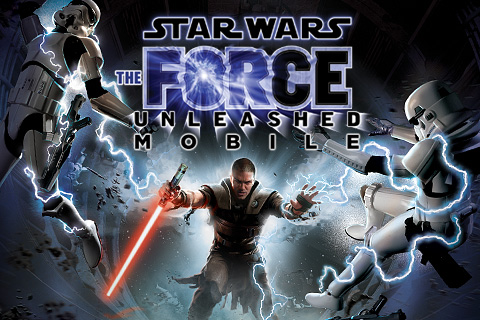
Star Wars: The Force Unleashed

Το “Star Wars: The Force Unleashed“, ένα από τα πιο πολυσυζητημένα iPhone games, είναι πλεόν διαθέσιμο από το App store!

Star Wars: The Force Unleashed available for iPhone
THQ wireless has released the newest addition to its line of Star Wars games for the iPhone, The Force Unleashed. Gamers take the role of Darth Vader's secret apprentice, personally trained by the Sith Lord. The last of the Jedi must be hunted and eliminated, using grip, lightning, Jedi mind tricks, and other tools controlled with the phone touch screen and accelerometer.

Battles are fought across galaxies, using the adapted Force Powers. The player can fight to advance beyond the control of Darth Vader. THQ's "CellWeaver" technology is used to enhance the game controls and take advantage of the phone's unique inputs. Star Wars: The Force Unleashed is available from iTunes for $10.

Το “Star Wars: The Force Unleashed” κοστίζει 7.99€ (για όσους επιθυμούν να το αγοράσουν από το Appstore).

Εμείς φυσικά θα το κατεβάσουμε δωρεάν!
http://www.themonkeysball.com/info/290461039/

Δευτέρα 15 Σεπτεμβρίου 2008

Greek keyboard - Ελληνικό πληκτρολόγιο στην iPhone firmware v2.1

Αυτό που δεν κατάφερε η Apple με την v2.1 μας το προσφέρει μία ομάδα ταλαντούχων παιδιών από το forum του myphone.gr:

Το Ελληνικό πληκτρολόγιο στο iPhone - iPod Touch είναι πλεόν γεγονός!

Προσοχή: Το Ελληνικό πληκτρολόγιο είναι συμβατό ΜΟΝΟ με την iPhone v2.1. Όσοι έχετε v2.0 - v2.0.1 - v2.0.2 ΜΗΝ επιχειρήσετε να το εγκαταστήσετε! (Η μέθοδος στηρίζεται σε τροποποίηση του TextInput_ru το οποίο είναι βασισμένο σε αυτό του v2.1) Αναβαθμίστε σε v2.1 και έπειτα ακολουθήστε τον οδηγό.


Ο παρακάτω οδηγός προυποθέτει στοιχειώδεις γνώσεις SSH. Εάν δεν γνωρίζετε/δεν καταλαβαίνετε τον οδηγό καλό θα ήταν πριν προχωρήσετε να ζητήσετε κάποια βοήθεια.


1. Κατεβάζουμε από Cydia το mobileterminal, το openssh και το ldid.

2. Κατεβάζουμε τo αρχείo: [ενα απο ολα...Οσο ανεβαινουμε στις beta τοσες περισσοτερες βελτιωσεις υπαρχουν]
beta5
Greek Keyboard
beta4
Greek Keyboard
beta3
Greek Keyboard
(το ΤextΙnput_gr θελει μετονομασια σε TextInput_ru)
beta1
Greek Keyboard


(Περιέχει τα αρχεία TextInput_ru (signed version), TextInput_ru.artwork & keyboard-ru.plist σε .zip. Ξεζιπάρετέ τα!)

3. Τα αρχεία TextInput_ru (signed version) και TextInput_ru.artwork πάνε στην τοποθεσία /System/Library/TextInput/TextInput_ru.bundle/

4. Το αρχείο keyboard-ru.plist πάει στην τοποθεσία /System/Library/Frameworks/UIKit.framework/

5. Κάνουμε επανεκκίνηση της συσκευής.

6. Ενεργοποιούμε το Ρωσικό πληκτρολόγιο από Settings->General->Keyboard->International Keyboards

7. Για να το επιλέξουμε πατάμε στην "Υδρόγειο" (π.χ. μέσα από την εφαρμογή SMS).


Σημειώσεις:

1. "α": Δυνατότητα εισαγωγής του κώδικα για να λαμβάνετε αναφορές παράδοσης, ανάλογα με τον παροχέα σας. Ο παροχέας επισημαίνεται με το αρχικό γράμμα του ονόματος του.
2. "σ": Δυνατότητα εισαγωγής του τελικού σίγμα "ς".
3. "Υ": Δυνατότητα εισαγωγής διαλυτικών "Ϋ".
4. "Ι": Δυνατότητα εισαγωγής διαλυτικών "Ϊ".
5. "υ": Δυνατότητα εισαγωγής διαλυτικών και διαλυτικών με τόνο "ϋ", "ΰ".
6. "ι": Δυνατότητα εισαγωγής διαλυτικών και διαλυτικών με τόνο "ϊ", "ΐ".

Thanks to minos197 (HeXoR - TextInput_ru & keyboard-ru.plist) - jim788e - pperiklis (1st BetaTester)- L10nH34Rt (ArtWorks - TextInput_ru.artwork) - Snollygoster - Konsti (GreekSort) - Lakism13 - gbil

Special thanks to Martin Spasov

[Via myphone.gr]

Σάββατο 13 Σεπτεμβρίου 2008

Featured forum post: Ringtones in iPhone (without the 40sec limit)


Ο user sotos_2002 του iPhoneHellas forum δημοσίευσε ένα ενδιαφέρον post σχετικά με το πως εισάγουμε ένα ολόκληρο τραγούδι ως Ringtone στο iPhone (χωρίς τον περιορισμό των 40”).

1) Πηγαίνετε στο iΤunes-> Preferences. Στην καρτέλα General, στο κέντρο περίπου, υπάρχει ένα κουμπί “Import Settings” πατήστε το και στο νέο παράθυρο που ανοίγει στο “Import Using” βάλτε AAC Encoder.

2) Διαλέξτε το κομμάτι που θέλετε μέσα από την λίστα σας και πατήστε δεξί-κλικ-> Create AAC version. Όταν τελειώσει η διαδικασία πατήστε δεξί κλικ->show in windows explorer στο αρχείο που δημιουργήθηκε (έγινε αυτόματα import στην λίστα σας).

3) Στο παράθυρο που σας εμφανίστηκε έχετε το τραγούδι που μετατρέψατε με κατάληξη “.m4a” πατήστε δεξί κλικ->Μετονομασία και αλλάξτε την κατάληξη σε “.m4r”

4) Συνδεθείτε μέσω ssh στο iPhone και παγαίνετε στην διαδρομή “/private/var/stash/Ringtones.UUhUh3″ και εκεί με drag & drop μεταφέρετε το αρχείο “.m4r” που μετονομάσατε.

5) Αν πάτε στο Settings->Sounds του iPhone θα το βρείτε στην λίστα με τα default Ringtones.

Συζητήστε στο forum: iPhone Ringtone (no 40sec limit)

[Thanks to sotos_2002]

Disable iPhone’s autocorrection WITHOUT Jailbreak!


Η μέθοδος στηρίζεται στο ότι το auto-correct, δεν λειτουργεί εάν πληκτρολογείς μπροστά πίσω από έναν χαρακτήρα! Στην ουσία δεν το απενεργοποιούμε αλλά το ξεγελάμε ώστε να μην λειτουργεί!

Εισάγετε ένα γράμμα (π.χ. Q) και μετακινήστε τον κέρσορα (με το μεγενθυντικό φακό) πίσω ακριβώς από το γράμμα. Τώρα μπορείτε να γράψετε ότι θέλετε χωρίς λειτουργεί το autocorrection!

Απλά θυμηθείτε στο τέλος να σβήσετε το Q :-)

iPhone firmware v2.1 released!

Η iPhone firmware v2.1 έγινε διαθέσιμη για download μέσω του iTunes! Το μεγέθους 237.8MB update προσφέρει σύμφωνα με την Apple:

* Decrease in call set-up failures and dropped calls
* Significantly better battery life for most users
* Dramatically reduced time to backup to iTunes
* Improved email reliability, notably fetching email from POP and Exchange accounts
* Faster installation of 3rd party applications
* Fixed bugs causing hangs and crashes for users with lots of third party applications

* Improved performance in text messaging
* Faster loading and searching of contacts
* Improved accuracy of the 3G signal strength display
* Repeat alert up to two additional times for incoming text messages
* Option to wipe data after ten failed passcode attempts
* Genius playlist creation

αλλά και μερικά ακόμη features τα οποία δεν είναι documented και τα οποία ανακαλύπτουμε σιγά σιγά μετά την αναβάθμιση:

- Όταν αναβαθμίζεται ένα app μέσω του iTunes, το εικονίδιο ΔΕΝ αλλάζει θέση! Παραμένει στη θέση που είχε στο Sprinboard αντί να μεταφέρεται στην αρχική Homescreen!

- Ο χώρος τον οποίο καταλαμβάνουν τα apps πλέον εμφανίζεται στο iTunes usage bar με πράσινο χρώμα!
iPhoneSpot.gr | The right place for your iPhone